How to Register a Binance Account
Create Your Binance Account
You can sign up using your email address, phone number, or via Apple / Google. Follow the steps below to get started.
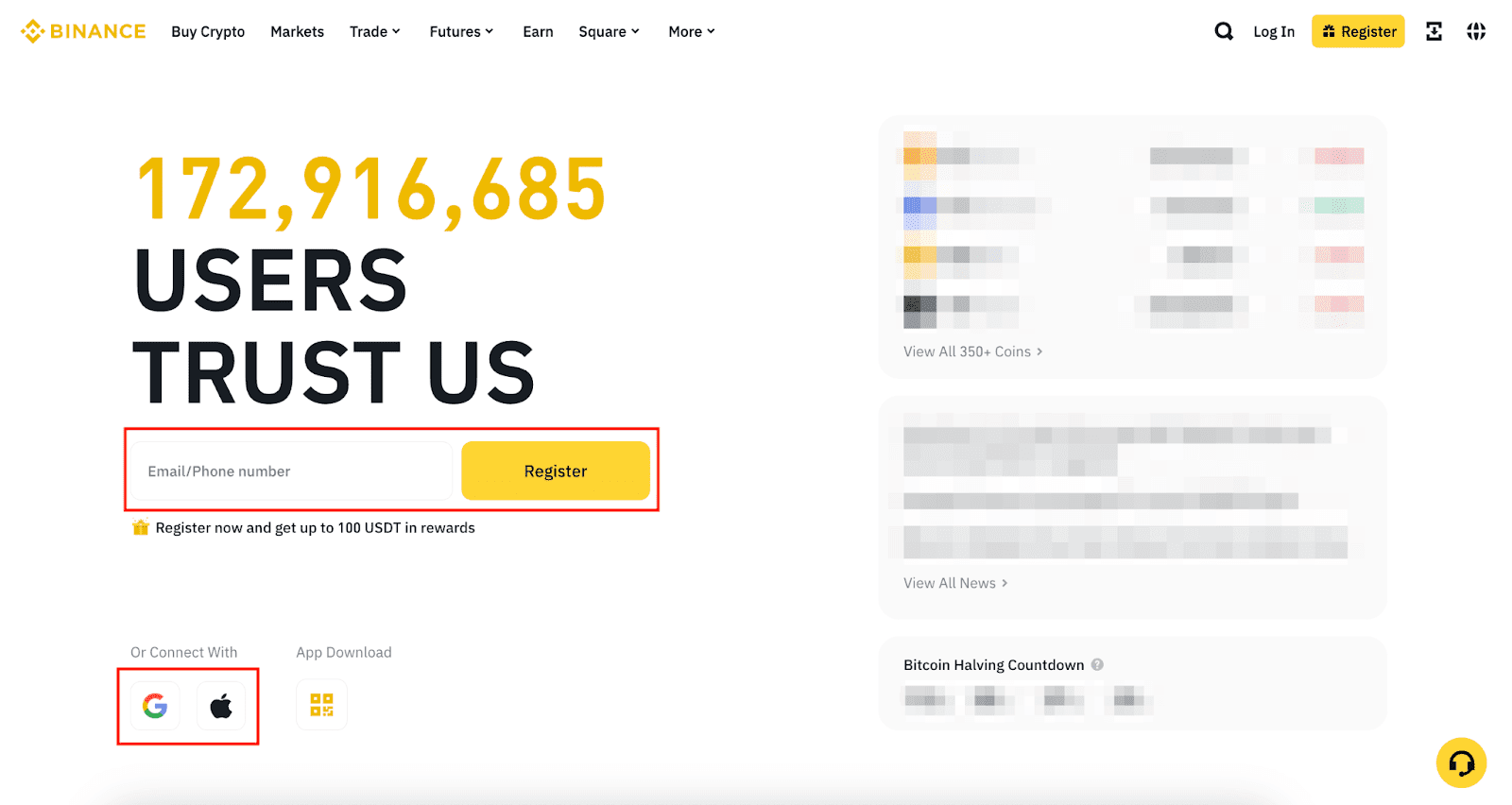
Visit binance.com. On the homepage, enter your email address or phone number and click "Register".
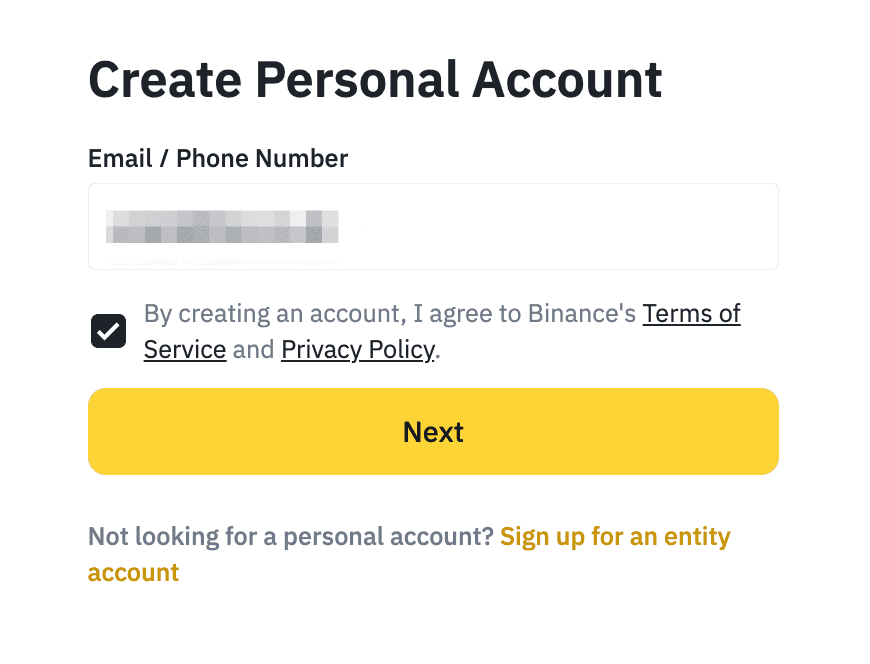
Read Binance's Terms of Service and Privacy Policy, then confirm to continue.
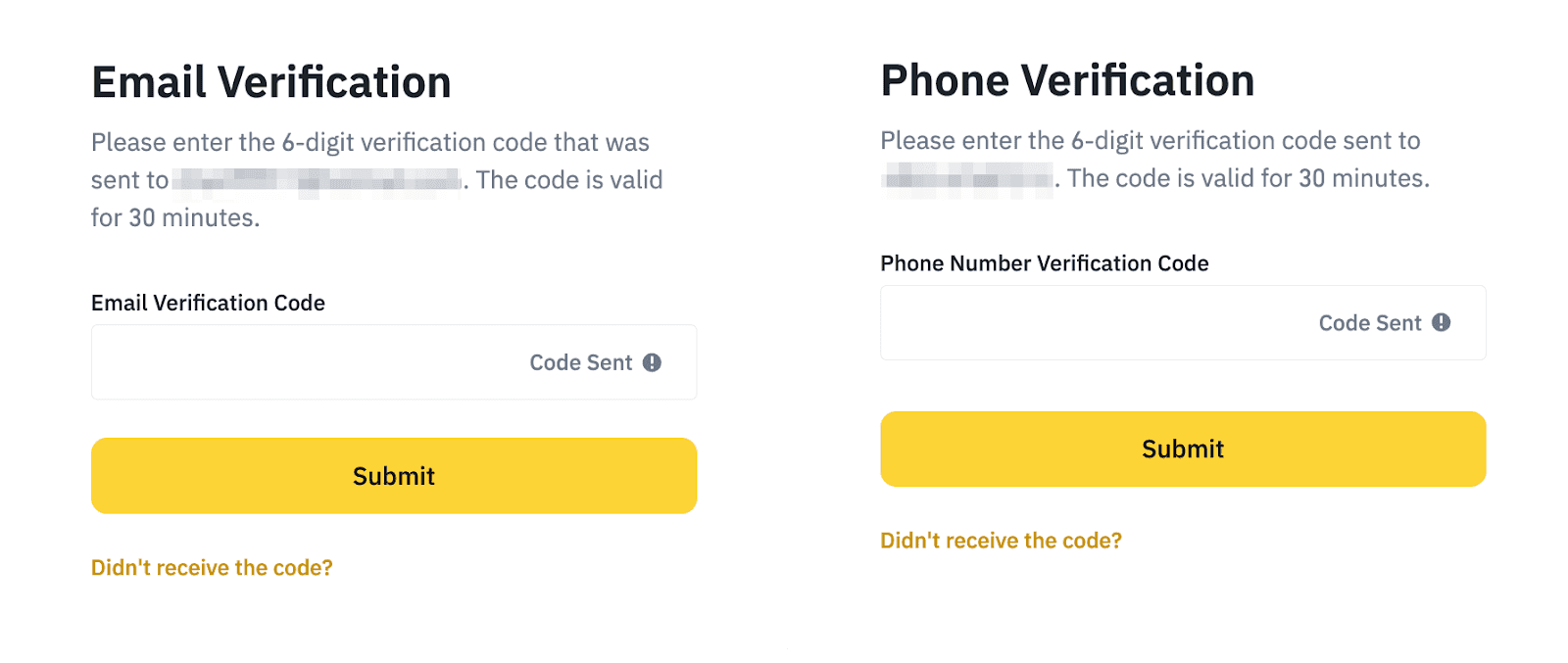
Binance will send you a 6-digit verification code via email or SMS. Enter the code to proceed.
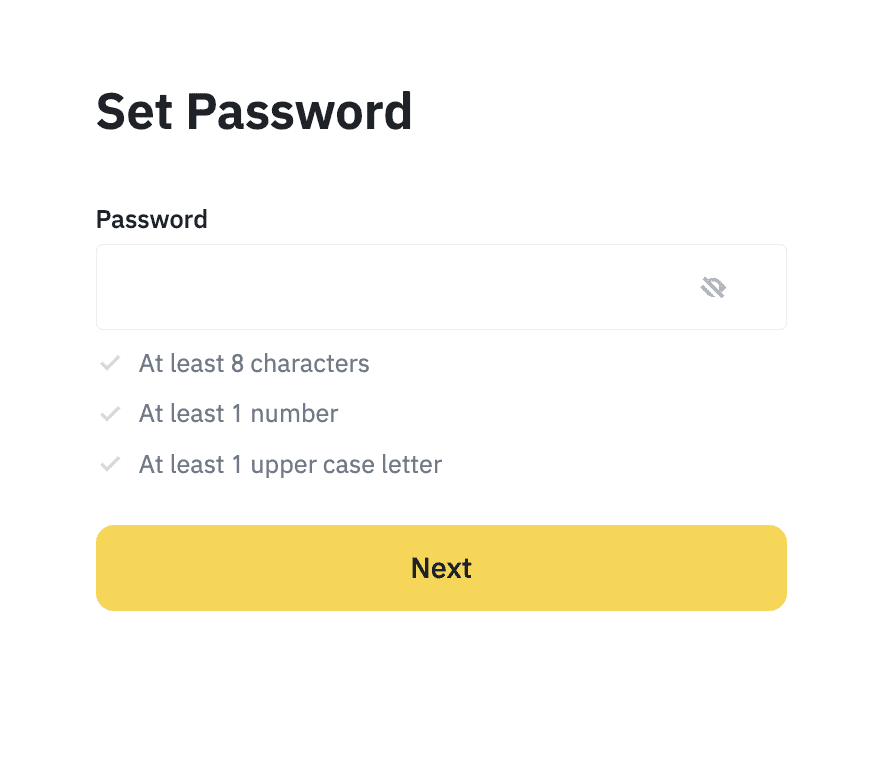
Create a secure password. Your password must meet the following requirements:
✅ Account created! Your Binance account is now active. To start trading or deposit funds, you must complete identity verification next.
Verify Your Identity (KYC)
Identity verification unlocks full access — including deposits, withdrawals, and trading. This is required by Binance for regulatory compliance.
Log in to your Binance account. Click the profile icon, go to "Account", then select "Identification".
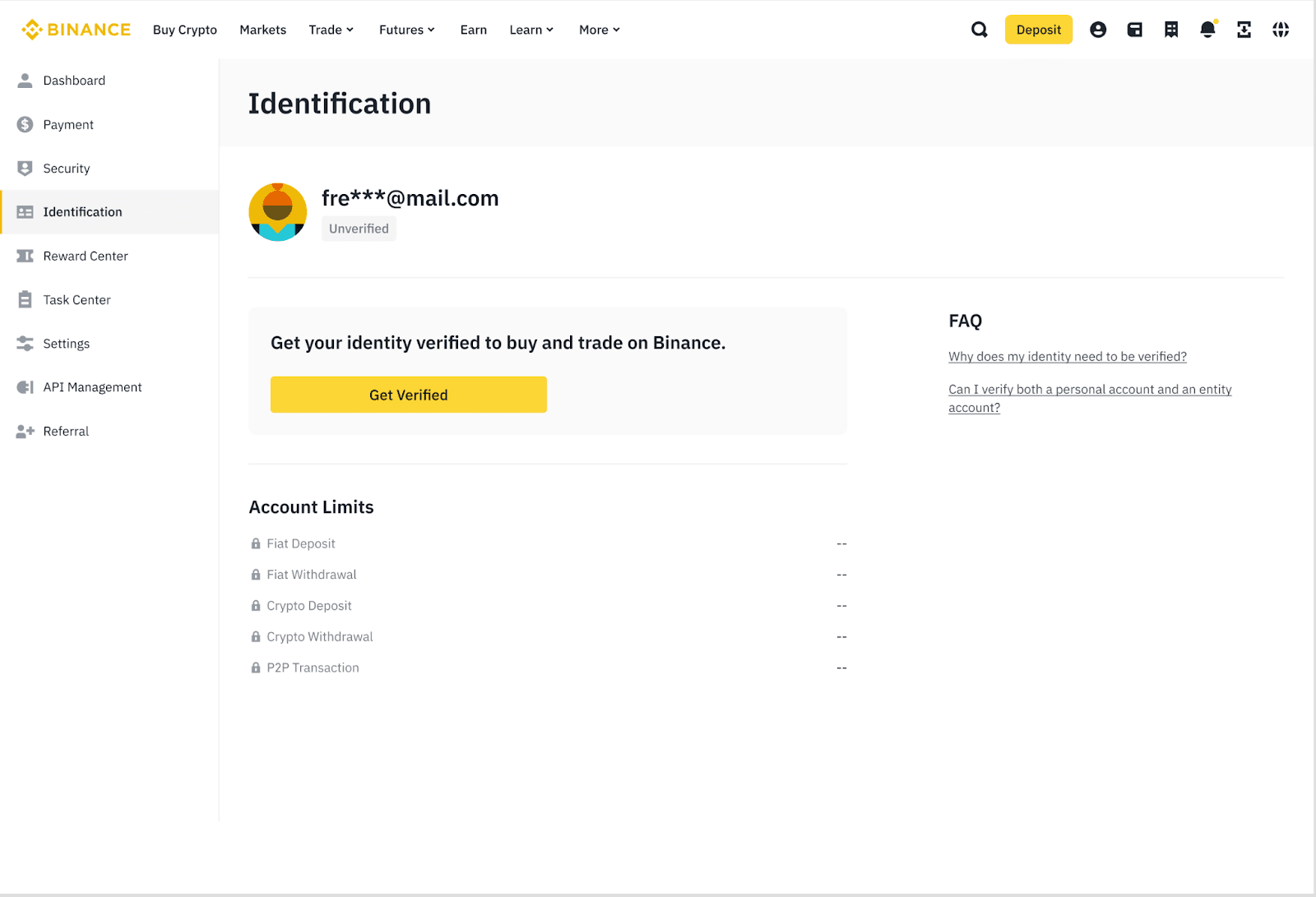
Click "Get Verified". Make sure you use the same personal details as your official ID document.
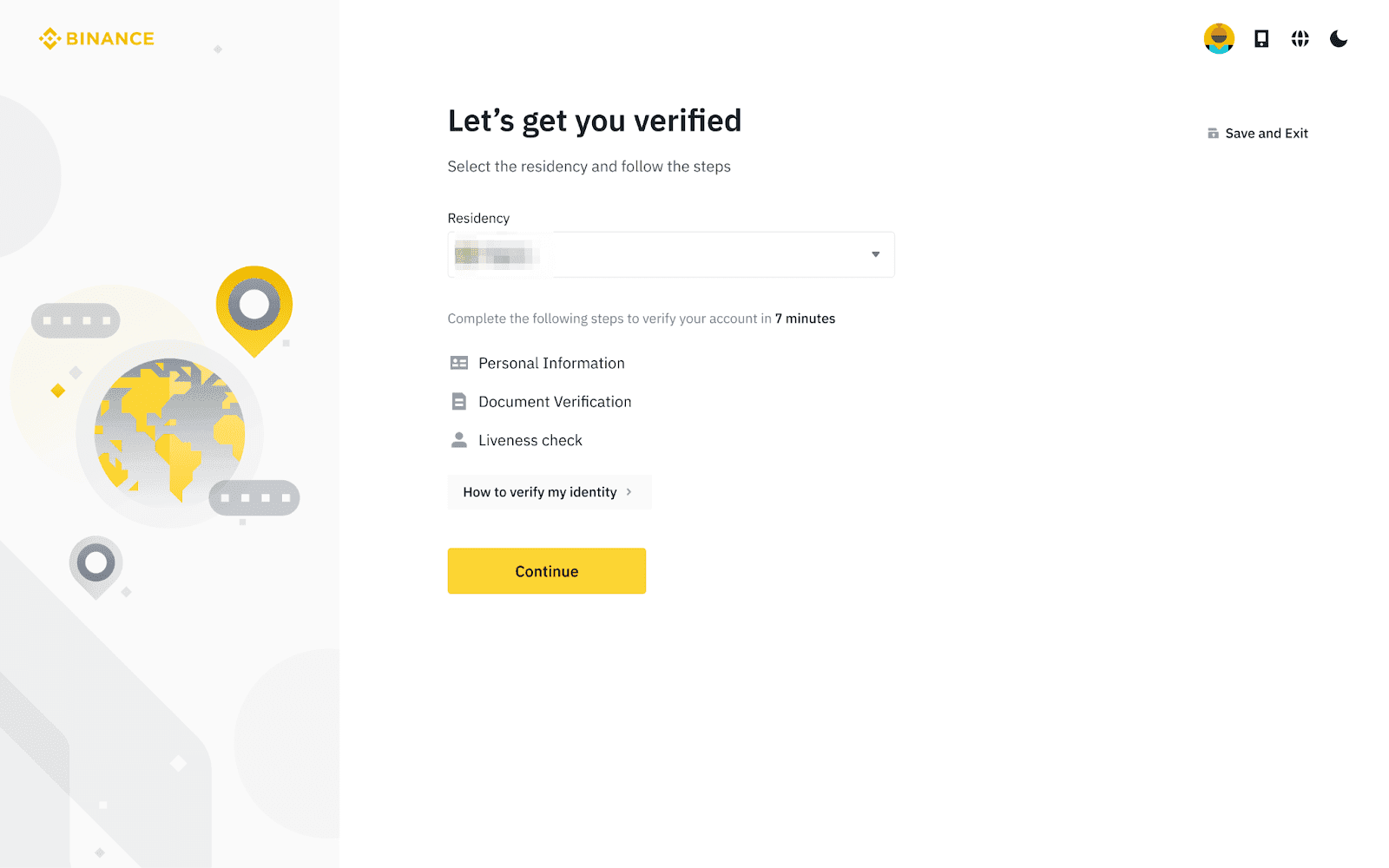
Select your country of residence from the list.
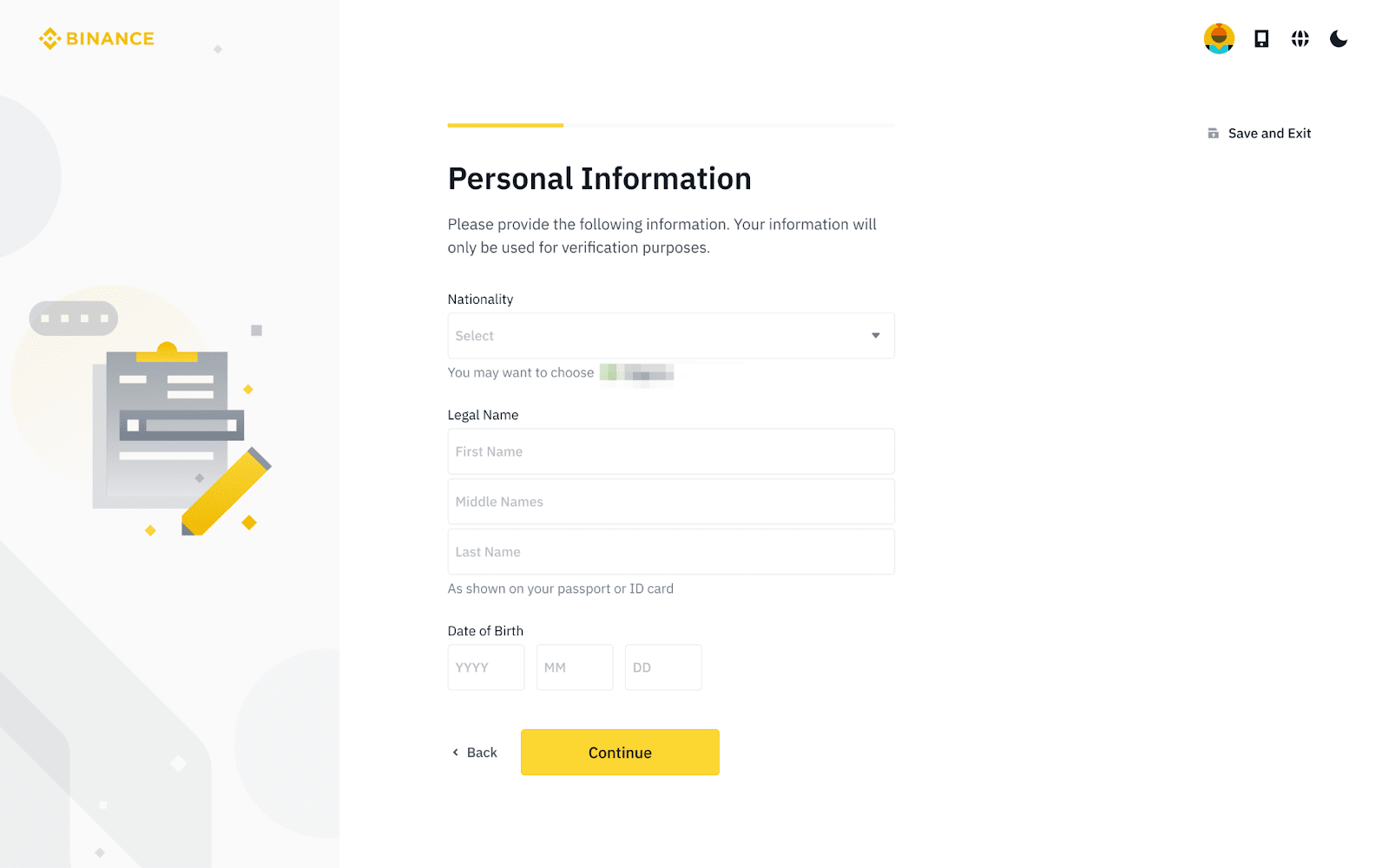
Enter your personal information — make sure it exactly matches your ID. This cannot be changed after confirmation.
Upload your ID document (passport, national ID, or driver's license). You can take photos directly or upload existing images. Then complete the liveness check by following the on-screen instructions.
Binance will review your submission and notify you by email once verification is complete.
Ready to start trading on Binance? Open your account now and explore crypto markets with confidence.
Open Binance Account →